For the second phase of the scaling effort, we focused mainly on auto scaling. With experience, it was clear that any other techniques were not working. What we needed was a way to increase the number of VMs automatically as the request load increases. AWS offers a service called Auto Scale Groups that does what we needed.
Other changes to the approach were - a) Use request based load testing (using ab) instead of Puppeteer simulations and b) Remove Nginx in favor of AWS load-balancer.
Setting up Autoscaling Groups on AWS
Auto Scale group, as the name suggests, allows us to create a group of VMs that can be scaled automatically. We need to tell it when and how to scale: the when is denoted by a scaling policy, and the how using a launch template. It can also be attached to a Load Balancer, from where it determines the load. There are several other technicalities, but this is the high level gist.
Scaling Policy
A scaling policy is where we define the formula for scale-up/down. We can pick up from among a few pre configured policies. Here’s an example:
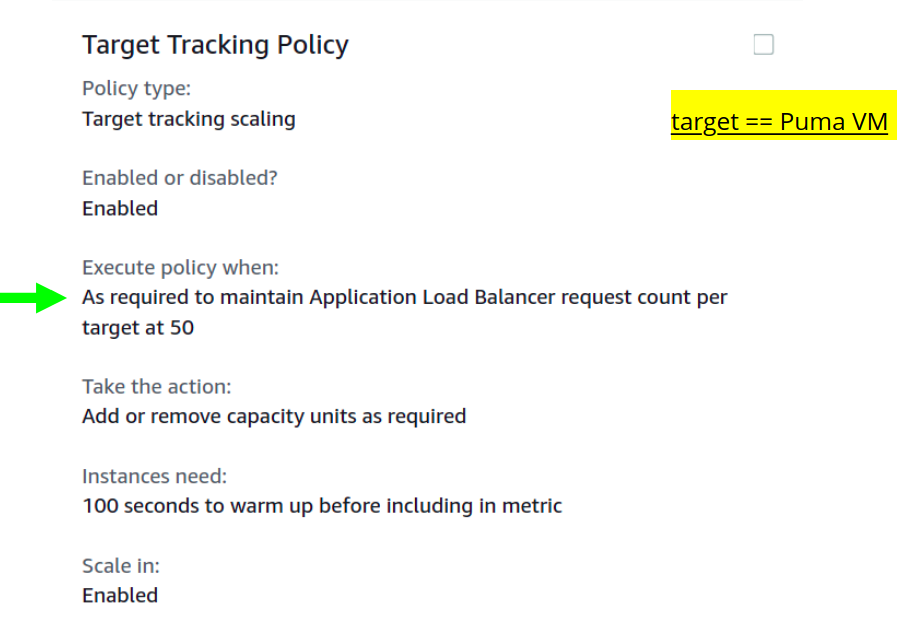
This means it tries to maintain a request count of 50 (or less) per target. Target here is a VM handled by the Load Balancer. When load arrives, and number of requests increases, it must increase the number of VMs to keep the request count at that level.
The number 50 was based on my early calculations (its 100 now). Each VM here is configured to process a certain number of requests concurrently, this number should be a little lower than that.
The Launch Template
As the name indicates, this a template that specifies the properties of a VM it can launch. It typically points to a VM image (the AMI), and holds a couple of other configurations.
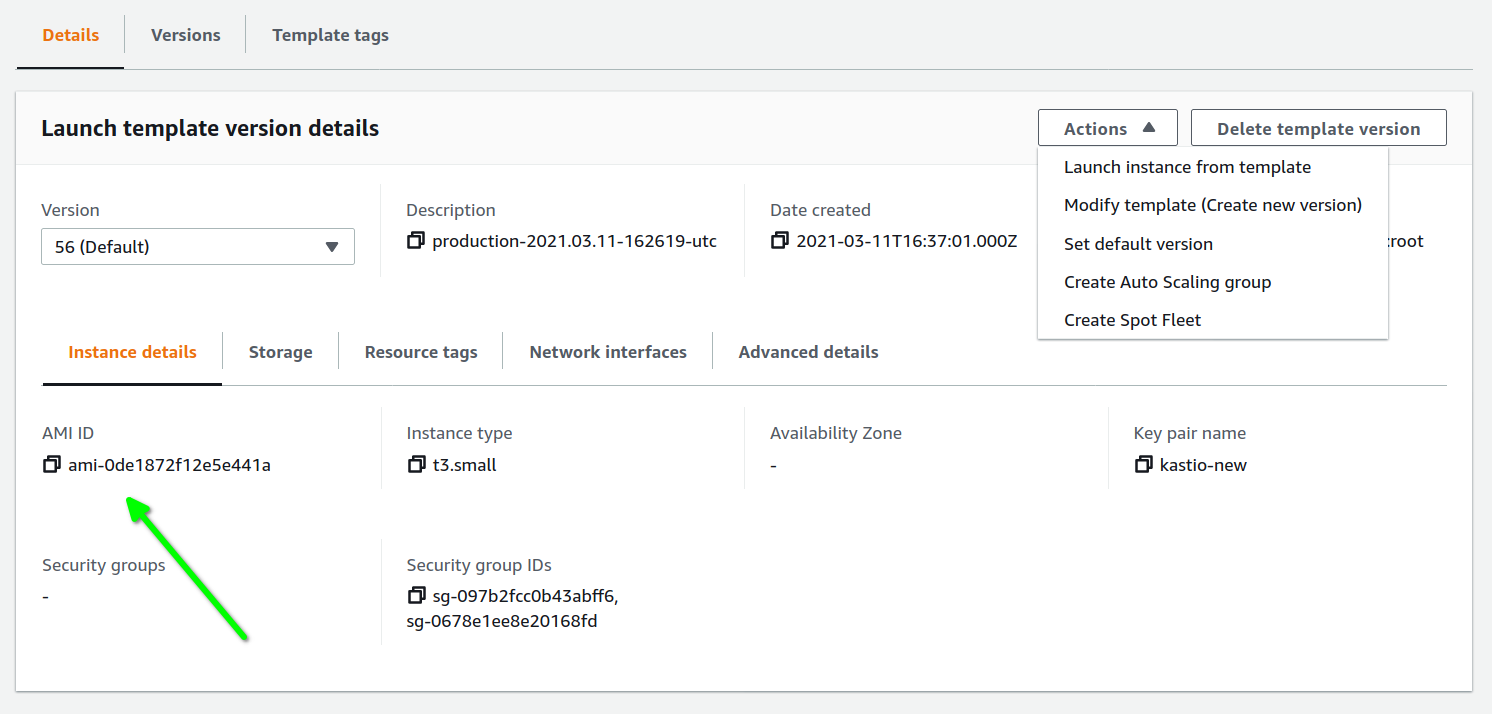
That is the general idea.
In practice, we need to deal with a few more concepts to get the whole setup working. Things like:
- Target Groups, the Application Load Balancer and its Listeners
- Launch Templates and AMIs
- Availability zones, Subnets and VPCs
The Target groups
Target group is a group of VMs (or Lambda functions) that are known to the Auto Scale Group (and the Load Balancer). It needs to be assigned a protocol (like HTTP or TCP) and port - on which it communicates. A Health check is also configured, using which it can determine if a member VM is healthy.
We usually specify a URL endpoint, an interval, and a few thresholds for the health check. A VM is deemed unhealthy if the specified conditions are not met after hitting the endpoint a few times. Example -
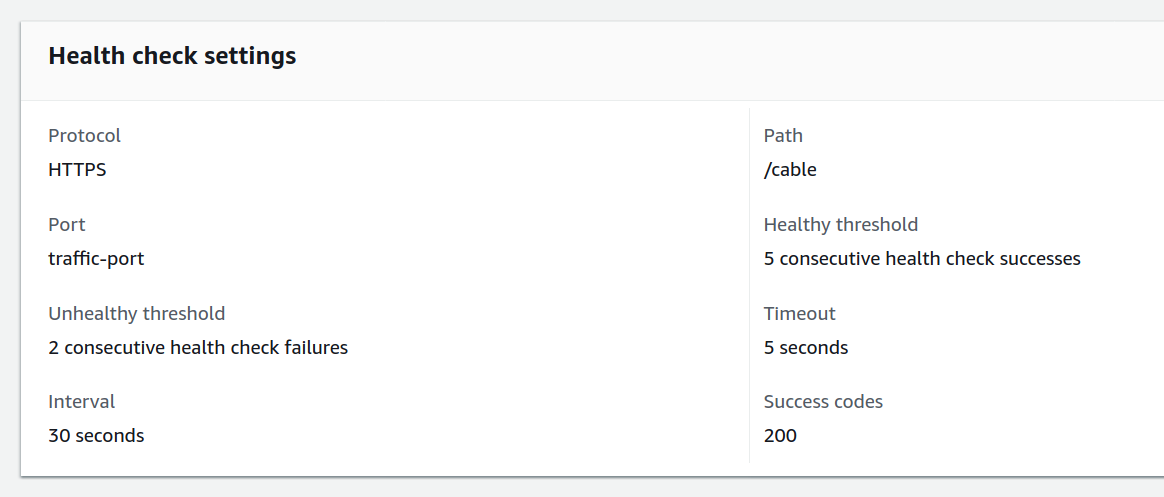
Once a target group is configured, we can attach it to a Load Balancer (to receive the request load) and to the Auto Scaling group (to scale)
The Application Load Balancer
The Application Load Balancer (ALB) balances request load across the serving system, and does it at the Application layer (HTTP or HTTPS).
AWS offers two more options for load balancing - the Network Load Balancer and the Classic Load Balancer. For web applications (HTTP and Websockets), Application Load Balancers are the most appropriate.
Both the ALBs and Classic Load Balancers try to distribute traffic across a set of servers. The difference lies in how they make the routing decision. The ALB, being aware of application layer protocols (HTTP and Websockets), uses the number of requests as a metric, so it can route a new request to the right instance (one serving the fewest number of requests). A Classic Load Balancer operates on other characteristics of the servers (like CPU usage), and doesn’t use request counts. Generally speaking, an instance serving more requests will show higher CPU usage , so it can pick the one with the lowest number.
Since the routing logic depends only indirectly on the request load, Classic Load Balancers need more calibration. And a metric like CPU usage on an EC2 VM is quite different from the CPU usage we see using tools like top. In my case, the calibration effort was far too much to make sense.
An ALB takes more effort in the setup than Classic, but once setup, its easier to calibrate and maintain.
The Listeners
A Load Balancer’s Listener is where we define our rules on how to route traffic. For example, we can say that all HTTPS traffic should go to our Target Group, and all the HTTP traffic should be redirected.
There are a whole lot of ways to tell how exactly to handle a request (rules). Here’s an example:
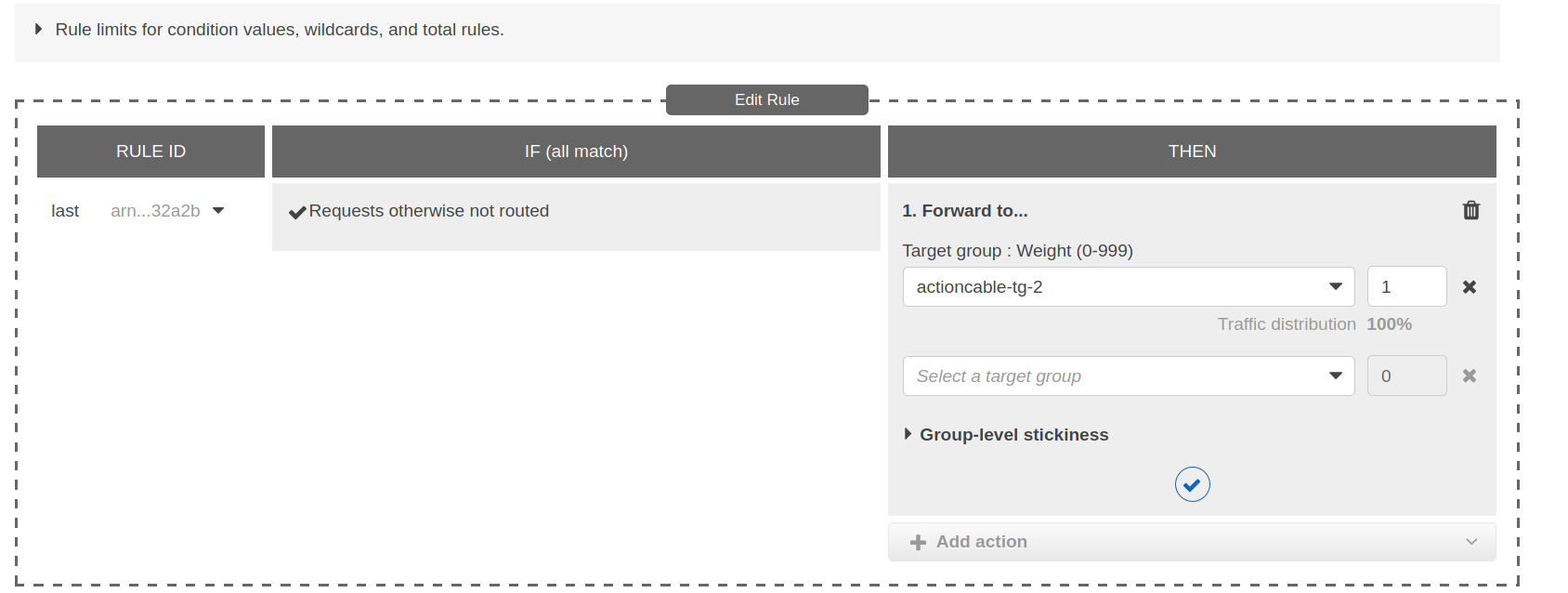
This rule states that requests should be forwarded to the actioncable-tg-2 target group. We could also have created another target groups, and have distributed the requests across them using this same rule configuration. Or, we could redirect requests on some endpoints to a whole other place, like this one -

Listeners provide a powerful and flexible set of primitives to build a load balancing logic that suits all sorts of use cases.
About Nginx
A lot of the Listener functionality matches with what Nginx does. That’s why it is considered a fairly good load balancer. There are however, a few things it doesn’t do (like health checks)
However, based on our experience in Phase-1 (as described in the previous post), I had decided not to use Nginx at all, and stretch the AWS Load Balancer as far as possible. The reason is, I felt scaling Nginx would require much more time and effort.
There is another setup-style where Nginx is used directly on the target instances. Which means, after the Load Balancer, the request passes through Nginx on the VM before it reaches the application (Puma in my case). This way static files can be handled at the Nginx level, which is the way it was handled before.
When not using Nginx, static file routing should be handled at the Load Balancer level (in the Listener). The plus side here is that all routing rules are in one place, and are easier to edit and maintain.